

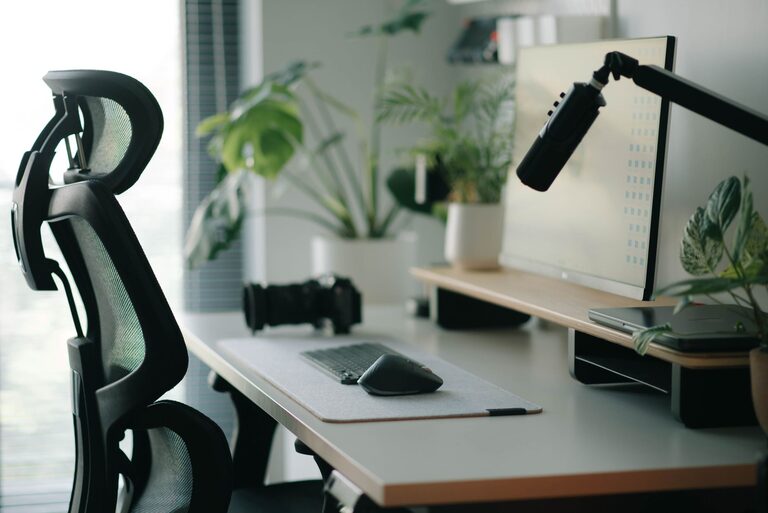
Creating an effective desk setup is key to maintaining focus and comfort during work or study sessions. Whether you spend hours at a desk daily or occasionally tackle tasks there, having a well-organized and ergonomically-friendly space can make all the difference. Here are practical tips to help you design a desk that supports productivity and well-being.
Why Your Desk Setup Matters
A thoughtfully arranged workspace can reduce physical strain and mental distractions. Poor desk setups often lead to discomfort, headaches, and decreased concentration. By prioritizing ergonomics and organization, you create an environment that fosters sustained focus and comfort.
Choosing the Right Desk and Chair
Desk Height and Size
Select a desk that fits your space and provides enough surface area for your essentials without feeling cluttered. The ideal desk height allows your elbows to rest comfortably at about a 90-degree angle when typing or writing.
Ergonomic Chair
Invest in a chair that supports your lower back and promotes good posture. Adjustable height and lumbar support are important features to look for. Your feet should rest flat on the floor or on a footrest with knees at roughly a 90-degree angle.
Organizing Your Desk for Focus
Declutter Regularly
Keep only the items you use daily on your desk to minimize distractions. Store papers, books, and non-essential tools in drawers or shelves nearby.
Use Desk Organizers
Trays, pen holders, and cable organizers can keep your desk tidy and make it easier to find what you need. Label drawers or containers to simplify storage.
Position Frequently Used Items Within Reach
Place your keyboard, mouse, phone, and notepad close to avoid unnecessary stretching or movement that can interrupt your workflow.
Lighting for Comfort and Productivity
Maximize Natural Light
Position your desk near a window to benefit from daylight, which can improve mood and alertness. Avoid direct glare on screens by angling your desk or using sheer curtains.
Task Lighting
Add a desk lamp with adjustable brightness to reduce eye strain during evening hours or on cloudy days. Warm light tones are generally easier on the eyes for long periods.
Ergonomic Tips for Your Equipment
Monitor Placement
Place your monitor at eye level about an arm’s length away. This setup reduces neck strain and encourages proper posture.
Keyboard and Mouse
Keep your keyboard and mouse at the same level to avoid twisting your wrists. Consider using ergonomic versions with padded wrist rests for extra comfort.
Incorporate Comfort and Personal Touches
Add Greenery
Small plants can enhance your work environment by reducing stress and improving air quality.
Use Comfortable Accessories
A cushioned desk mat, wrist rests, or a supportive cushion for your chair can increase comfort during long sessions.
Personalize Your Space
Decorate with a few meaningful items like photos or art to create an inviting and motivating workspace — just avoid overcrowding.
Taking Breaks and Moving
No setup can replace the benefits of regular movement. Set a timer to stand, stretch, or take a short walk every hour. This helps prevent stiffness and refreshes your mind.
Final Thoughts
Your desk setup plays a significant role in how comfortably and effectively you work. By focusing on ergonomic furniture, thoughtful organization, good lighting, and personalized comfort, you can create a space that supports sustained focus and well-being. Start small by adjusting one or two elements and see how it transforms your daily routine.